The brief for Parallax at Techfest 2026-27 (IIT Bombay) sounds simple: walk through a building with a phone, and turn that video into something a visitor can explore. Not a 360° photo tour, an actual navigable space. Walk in first person, bump into walls, click a sofa to see what it is, type "meeting room" and get walking directions that go around the furniture.
My teammates and I built it as one pipeline and one web app: upload a video, a GPU box works for a few minutes, and you get a zero-install link that opens on a laptop or a phone. This post covers the whole journey, with most of the space going to the part I find most interesting: taking a cloud of a million coloured blobs with no units, no "up" and no floor and turning it into something you can route through.
The shape of the system
Everything goes through one pipeline. Here is the splat path end to end:
- Capturephone + SOPChest height, slow walk, every doorway.
- FramesFFmpeg + sharpnessSharpest frame per motion window.
- PosesCOLMAP / VGGTWhere was the camera for each frame?
- 3DGSsplatfacto / gsplatTrain the Gaussian splat.
- build_spacenumpy onlyFloor, metric scale, walls, nav grid.
- Web appthree.js + SparkWalk, search, A* directions.
There is one codebase and one FastAPI server. On a machine with an NVIDIA GPU (in our case a Jetson AGX Thor) it runs the pipeline in a worker thread. On a laptop, the same server forwards the job, with token auth, to a GPU worker running the same code, and copies the finished space back. Nobody has to maintain a "client" and a "server" that drift apart.
Step 0: the capture is part of the algorithm
The first thing I learned is that you can't fix a bad capture in software. Most failed reconstructions were a person spinning on the spot, or a lens switching from 1× to 0.5× halfway through. So we wrote a capture SOP, and every rule in it exists because a specific stage of the pipeline depends on it.
| Rule | Value | Why the pipeline cares |
|---|---|---|
| Phone height | chest height, ~1.4 m, held steady | This is the metric scale (more below) |
| Walking speed | ~0.5 m/s, half normal pace | Motion blur is the #1 cause of failed reconstructions |
| Tilt | 10–15° downward | Keeps the floor in view; the floor plane and walk grid need it |
| Path | every route a visitor could take, both directions | The camera path is treated as known free space |
| Turns | turn slowly while walking | Pure rotation gives no parallax, so no depth |
| Lens | locked to 1× | Switching lenses changes intrinsics mid-capture |
Per room it's "loop + corners": walk the perimeter, pan slowly at each corner, cross the centre, and take doorways slowly, since they tie rooms together. And upload the original file: WhatsApp re-encodes to roughly 480p at about 1.5 Mbit/s, throwing away most of the detail.
Step 1: picking frames that deserve to be kept
A 35-second clip at 30 fps is over a thousand frames, most of them redundant and some of them blurry. FFmpeg extracts frames at 4–5 fps, then a sharpness pass keeps one frame per window, up to 160 (Fast) or 240 (Refined).
The simple version is "keep frames whose Laplacian variance is above a threshold." That fails in a nasty way: a blurry stretch during a turn loses all its frames, and the pose estimator loses continuity right where it needs it most. Instead we split the sequence into windows and keep the sharpest frame from each, so blurry frames only compete with their neighbours.
The second refinement was to make the windows equal in camera motion, not equal in time. When you stand still, you don't need ten keyframes; when you pan, you need more.
scores.append(float(cv2.Laplacian(small, cv2.CV_64F).var()))
# how far the view moved since the previous frame (median optical flow on a thumbnail)
tiny = cv2.resize(small, (160, int(160 * small.shape[0] / small.shape[1])))
if prev is not None and prev.shape == tiny.shape:
    flow = cv2.calcOpticalFlowFarneback(prev, tiny, None, 0.5, 3, 15, 3, 5, 1.2, 0)
    motion.append(float(np.median(np.linalg.norm(flow, axis=2))))
# ...
# windows of equal camera MOTION (not equal time): fast pans get more keyframes,
# standing still fewer; the sharpest frame of each window is kept
cum = np.cumsum(np.asarray(motion) + 0.15 * (np.median(motion) + 1e-3))
edges = np.searchsorted(cum, np.linspace(0, cum[-1], n + 1)[1:-1])
Median Farneback flow on a 160 px thumbnail is a cheap proxy for "how much did the view change." If fewer than 20 sharp frames survive, the job fails and tells you to re-capture more slowly.
Step 2: where was the camera?
The original pipeline, and the one behind the headline numbers, is COLMAP 4.2 with CUDA. On the AGX Thor, with the 35-second 1080p clip, it registered 78 of 78 cameras in 172 seconds. (Getting COLMAP 4 with CUDA onto an aarch64 Jetson took a flag-translating wrapper, a pinned OpenImageIO, and a separate environment so its CUDA 12.9 deps don't downgrade the nvcc that Thor's sm_110 needs.)
Feature matching struggles indoors: white walls, glossy floors and compression give it nothing to grab. So we added VGGT (Meta, CVPR 2025), which predicts every frame's pose and dense depth in one pass, with COLMAP as the fallback. VGGT fails differently: it places a frame somewhere confidently wrong. The fix is a physical fact: a walking video can't teleport.
def temporal_outliers(extri, window=3, k=6.0, max_rot_deg=35.0):
    """Frames whose pose jumps away from their neighbours in time. A walking video
    can't teleport: these are frames VGGT couldn't place (blank wall, pure glare,
    heavy blur). Returns a boolean mask of frames to drop."""
    R = extri[:, :, :3]
    C = -np.einsum("nji,nj->ni", R, extri[:, :, 3])  # camera centres
    step = np.linalg.norm(np.diff(C, axis=0), axis=1)
    typical = float(np.median(step)) + 1e-9
    for i in range(n):
        nb = [j for j in range(max(0, i - window), min(n, i + window + 1)) if j != i]
        dev = np.linalg.norm(C[i] - np.median(C[nb], axis=0))
        f = R[i][2]
        ang = np.degrees(np.arccos(np.clip(np.median([f @ R[j][2] for j in nb]), -1, 1)))
        bad[i] = dev > k * typical * max(2, window / 2) or ang > max_rot_deg
Step 3: training the splat
3D Gaussian Splatting represents a scene as millions of small oriented, semi-transparent ellipsoids, optimised by rasterising them and comparing against the real photos. It renders in real time in a browser, which is why we chose it over a NeRF. The first version used nerfstudio's splatfacto: 7,000 steps in 203 seconds on the Thor, PSNR 28.6, then 20 seconds for export and space build, about seven minutes end to end.
Indoors, the usual 3DGS problems showed up: haze mid-room, fog on white walls, blotches from auto-exposure. So we wrote our own trainer on gsplat 1.4 (scripts/train_splat.py), with splatfacto as the fallback. It adds:
- MCMC densification under a splat budget, and depth supervision against VGGT depth
- Opacity binarisation late in training (an entropy penalty), so no semi-transparent haze
- A flat-splat penalty, so surfaces become thin discs instead of needles
- Per-frame exposure (affine gain and bias) for the phone's auto-exposure
- Free-space carving
Carving is my favourite. If a splat projects into several views in front of a confidently observed depth, the camera saw straight through the place where that splat sits. It's a floater.
seen[idx] += ok.float()
free[idx] += (ok & (z[idx] < 0.8 * dp)).float()
# ...
floater = (free >= 3) & (free > 0.3 * seen)
# Space the phone moved through is empty: kill splats right at the capture path
clear = 0.15 * float(depth_gt[depth_ok].median())
for c0 in range(0, len(X), 200_000):
    dmin = torch.cdist(X[c0:c0 + 200_000], cams).min(1).values
    floater[c0:c0 + 200_000] |= dmin < clear
if a.strategy == "mcmc":
    params["opacities"].data[floater] = -12.0  # dead: MCMC relocates it onto real surfaces
With MCMC the floater isn't deleted: its opacity logit goes to -12 and MCMC relocates it onto a real surface.
Step 4: making a splat navigable
This is the heart of Parallax, one numpy-only file: scripts/build_space.py. A trained splat lives in an arbitrary frame: a unit might be 30 cm or 3 m, "up" can point anywhere, and there is no floor. Walking needs all three.
Getting the cameras into the splat's frame
nerfstudio saves its normalisation as dataparser_transforms.json, but that transform already folds in an applied_transform that the poses in transforms.json also have baked in. Apply both and the cameras end up rotated, so the builder undoes it explicitly (Rp = R @ Ra.T; t = t - Rp @ ta). One line of linear algebra; get it wrong and every later step works on the wrong cameras.
Finding up and finding the floor
"Up" starts as the mean camera up vector (people hold phones upright), flipped if almost nothing lies below the cameras, which we saw with COLMAP 4.
The naive floor is the biggest horizontal plane below the cameras. In a living room that's often sofa seats, a bed or table tops, because plain or glossy tiles reconstruct sparsely. So the builder histograms heights and takes the lowest substantial layer, then RANSACs inside that band:
# The floor is the LOWEST substantial horizontal layer, not the biggest: sofa seats,
# beds and table tops form a denser layer above it, and the floor itself is often
# sparse (plain or glossy tiles)
hc = cand @ up
bw = max(extent, 1e-6) / 80
hist, edges = np.histogram(hc, bins=np.arange(hc.min(), hc.max() + bw, bw))
sm = np.convolve(hist, np.ones(3) / 3, mode="same")
peaks = [i for i in range(1, len(sm) - 1)
         if sm[i] >= sm[i - 1] and sm[i] >= sm[i + 1] and sm[i] >= 0.3 * sm.max()]
if peaks:
    lvl = (edges[peaks[0]] + edges[peaks[0] + 1]) / 2
    band = cand[np.abs(hc - lvl) < 4 * bw]
n, d, n_in = fit_floor(band if len(band) > 200 else cand, up, ...)
fit_floor only accepts planes within 20° of up, then refines with SVD on all inliers. If the result is still tilted more than 15°, the floor was barely reconstructed, and the builder falls back to camera up and the lowest dense splat layer.
Metric scale from one number
With a floor plane, every camera has a height above it in splat units, and the operator held the phone at about 1.4 m. So:
heights = cams[0] @ n + d
med = float(np.median(heights))
if med <= 0:
    raise RuntimeError("Cameras are below the detected floor — pass --up to fix orientation")
s = a.capture_height / med
scale = 1.4 / median(camera height above floor). The median shrugs off the moment someone crouched under a table. On the synthetic test scene the scale is off by 0.1 %; on real captures it is only as good as the operator's posture, so CAPTURE_HEIGHT and an explicit --scale are both overrides.
Squaring up the walls
A grid aligned with the walls gives crisp corridors and straight paths. The builder projects body-height splats onto the floor and searches for the yaw that makes the X and Z histograms spikiest (sum of squared bin counts): a 1° sweep over 0–90°, then 0.1° refinement.
The walkability grid
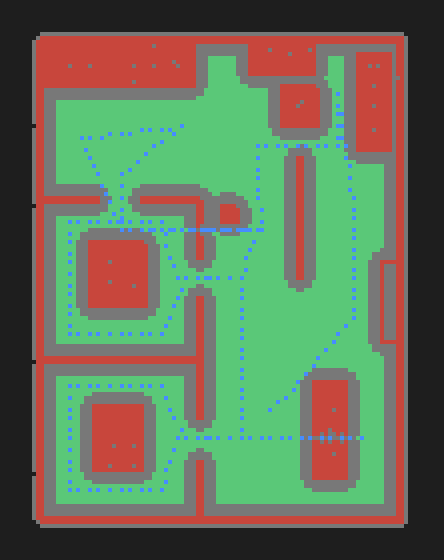
At 10 cm per cell, each cell gets two bits: FREE (true floor, not an obstacle) and WALK (free and at least an agent radius, 25 cm, from any obstacle).
- Floor: splats within ±6 cm of y = 0, holes closed by dilate-then-erode.
- Obstacles: opacity-weighted density in the 0.15–1.9 m body band, relative to the typical floor density, so the threshold adapts to each reconstruction. Isolated cells are dropped as floaters.
- Capture path: wherever the operator walked is free space, whatever the reconstruction says.
- Connectivity: only the region the operator walked through is kept, removing "floor" islands seen through windows or in mirrors.
The capture-path prior is the most important idea in the builder. A splat can hallucinate a blob in a corridor; a person can't have walked through a wall.
Cleaning the web export
The splat is exported metric, Y-up, floor at y = 0, as a 32-bytes-per-splat .splat sorted by importance. On the way out it drops haze, anything more than 5 cm below the floor (reflections in glossy tiles look like a second room under your feet), and anything within 30 cm of the camera path, space that was occupied by the phone and the person holding it. The spawn point is the walkable cell near the path with the most clearance, facing the longest free line of sight, rather than the first frame, which is often a door frame.
Step 5: walking, searching and routing in the browser
The viewer is vanilla three.js 0.180 with Spark 2.2 (World Labs' splat renderer) inside a Next.js 16 dashboard. W A S D to walk, drag to look, a joystick on phones, E to tag what you're looking at as a searchable POI. For weak devices, a GPU view has the server render with gsplat and stream JPEG frames over a WebSocket.
A* with a preference for the middle of the corridor
web/engine/navgrid.js is pure JS, so it runs in the browser and in Node tests: A* on the 8-connected grid, octile heuristic, no corner cutting. The interesting part is a soft cost near walls. A BFS computes each cell's distance to the nearest non-walkable cell, and cells closer to walls cost more:
const penalty = (i) => {
  const c = this.clearance[i];
  return c >= comfortCells ? 0 : wallPenalty * (comfortCells - c) / comfortCells;
};
// ...
for (const [dx, dz, cost] of N) {
  const nx = cx + dx, nz = cz + dz;
  if (!this.inBounds(nx, nz)) continue;
  const ni = this.index(nx, nz);
  if (closed[ni] || !(this.data[ni] & WALK)) continue;
  // no corner cutting: both orthogonal neighbours must be walkable for a diagonal
  if (dx && dz && (!(this.data[this.index(cx + dx, cz)] & WALK) ||
                   !(this.data[this.index(cx, cz + dz)] & WALK))) continue;
  const tentative = gScore[cur] + cost * (1 + penalty(ni));
Without it, shortest paths hug walls and clip door frames. With it, routes keep to the middle of corridors like a person would. The cell path is then string-pulled (jump to the farthest point still in line of sight), so a route across a room becomes a few clean segments.
Collision that slides
Routing uses the inflated WALK layer; movement uses the true-geometry FREE layer, so you can still walk right up to a table. The body is tested at eight points on a small circle, and a blocked move tries each axis alone, which gives the familiar slide along walls:
// If we are already somewhere invalid (e.g. spawned in clutter) let the user walk out.
if (!ok(pos.x, pos.z)) return { x: pos.x + dx, z: pos.z + dz };
if (ok(pos.x + dx, pos.z + dz)) return { x: pos.x + dx, z: pos.z + dz };
if (ok(pos.x + dx, pos.z)) return { x: pos.x + dx, z: pos.z };
if (ok(pos.x, pos.z + dz)) return { x: pos.x, z: pos.z + dz };
return { x: pos.x, z: pos.z };
The first line matters: if a noisy grid puts you inside an obstacle, you can walk out instead of freezing.
Guidance
guide.js turns the polyline into turn-by-turn steps, draws a floor ribbon with chevrons every 0.7 m, and estimates ETA at 1.2 m/s. Each frame it projects you onto the route; wander more than 1 m off and it re-routes (at most every 400 ms). A minimap from the nav grid lets you click to route, and Share makes a deep link that opens straight into directions.
Testing a pipeline without a GPU
You can't run COLMAP in CI on a laptop, so we test in layers:
scripts/make_synthetic_scene.pygenerates a synthetic office splat with cameras and known ground truth.test/seed_demo_pois.pymaps ground-truth POIs through the recoveredsplatToWorldmatrix and checks furniture lands on blocked cells and room centres on walkable floor.web/test/navgrid.test.jschecks every POI is reachable, no segment crosses an obstacle, routes between adjacent rooms detour through the door, and a path takes under 30 ms.test/fake_gpu/stubscolmap,ns-train,ffmpegandnvidia-smi, so the laptop-to-GPU-worker flow, including cancel, runs without a GPU.
What broke, and where it went next
Geometry recovery. Floor, scale, walls and the capture-path prior held up, A* on a 10 cm grid re-routes live, and the SOP made failures explainable.
Toolchains on aarch64 + CUDA 13 (gsplat compiles its kernels for sm_110 on first run). Scale is only as good as the operator's posture. And a splat is just a picture: you can't pick up the chair.
That last point pushed us past the brief. A "Clean 3D" path segments every object with SAM 3, builds a metric plan you can review and edit, and rebuilds the room from separate meshes with physics. But a generated-mesh build measured 51 minutes on the Thor for one 224-frame video, and the meshes weren't shippable on texture and colour.
So we moved to a hybrid: the photoreal splat for what you see, the measured plan as an invisible physics and picking layer, both trained on the same metric cameras so no registration is needed. The first fast hybrid build took 408 seconds for a 140-camera video. It also bit us: the metric-scale model failed to load, scale silently fell back to the 1.4 m assumption, and the floor came out at 24.75 m² against 38.5–39.0 m² from other runs of the same video. Now a guessed scale is loud, in the pipeline detail, in scene.json and in the viewer.
Not built yet: WebXR AR navigation from a printed QR anchor, multi-floor venues, and splat segmentation so that pushing a chair moves the chair's splats.
-
The capture is part of the algorithm. Write the SOP as a contract the code relies on.
-
Pick the lowest floor, not the biggest one.
-
Where the operator walked is ground truth. Use it everywhere: free space, connectivity, floater removal.
-
If the pipeline guessed, say so loudly.
The goal all along was a small moment: open a link on a phone, search for a room in a space someone filmed an hour earlier, and follow the chevrons around a sofa that the code was never told existed. Everything in this post is in service of those ten seconds.